Social Media Butterflies & Chic Tags Blogapalooza!


BLOGAPALOOZA


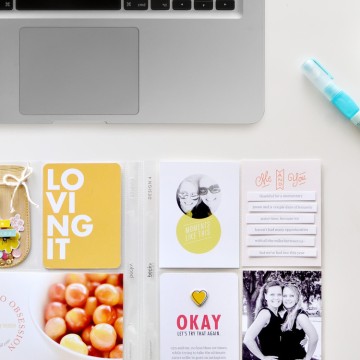
Welcome to my blog!!! Nice to have you stop by :) Thanks to the fabulous Jen Ritchie for sending you my way! I love the Road Trip tags from Chic Tags. They are so fun and the colors are fabulous! Perfect for those Summer vacations you have coming up. I took a bit of a different spin on a traditional road trip. I made a layout about the Safari Park we visited last year while we were on vacation. The kids had a blast feeding all of the animals. The Good Eats journaling tags was perfect!!!

safari


If you didn’t start from the beginning of the hop, head over to Chic Tags and see the list of bloggers. There are some fabulous prizes to be had and some awesome freebies!! Next up is the amazing Shay, so hurry up and hop on over, word on the street is that she has a fabulous prize to give away!


She loves to have fun

cirlceA_edited-1

She is full of energy and giggles and smiles. She loves to have fun and can make just about anything a game. She is so loved by her big sisters and brother. That is about the only thing they can all agree on, that she is the cutest thing ever! She is feisty and doesn’t back down. She knows what she wants. She is a joy and she is loved.

Adeline @ 2

Come On Get Crafty

COGC 150x150 blog badge-1

I am really excited to share that I have been asked to be on the Come on get Crafty design team. It is a new online store and blog. I am joining 2 other amazing ladies on the DT. The shop is owned by Nicole Sower. She has been a busy bee, stocking the shop with some brand new products and lots more coming soon!! There is a great deal on shipping right now, go check it out! We have lots of fun stuff planned for the blog. My first post will be up next week, I can’t wait to share it!

How to turn a PNG file into a digital stamp

Here is a little tutorial for turning a PNG file into a digital element in PSE. Maybe there is an easier way, but this is how I figured it out and wanted to pass it along.
Click on each image to make it larger and it will show each step.
open a new file
Screen Shot 2013-01-24 at 8.27.39 AM
look for your downloaded PNG file
Screen Shot 2013-01-24 at 8.27.52 AM

Screen Shot 2013-01-24 at 8.28.00 AM
it will open in a new window
Screen Shot 2013-01-24 at 8.28.07 AM
under the edit tab, click define brush
Screen Shot 2013-01-24 at 8.28.13 AM
i leave it titled as is, you can change it if you want
Screen Shot 2013-01-24 at 8.28.17 AM
there is your brush!
Screen Shot 2013-01-24 at 8.28.23 AM
then you can open up your photo and apply, change the color, the opacity, just have fun!
Screen Shot 2013-01-24 at 8.29.03 AM
I hope that helps and please feel free to ask me any questions!